
Keep operations moving through disruption.
Connect your sites, inventory, and deliveries in one operational view. Test disruptions, compare response options, and help local teams stay supplied as conditions change.
For logistics, operations, and business continuity teams. Screenshots use synthetic Florida relief data to illustrate existing workflows, not a commercial deployment or customer. We will scope the configuration around your business.
Your sites and routes
Response options you can explain
Tools for the team on site
Pathline for Enterprise Operations
From a planning question to the next response.
Follow a disruption through the network, explore the response options, and bring the focus back to the team on site. Read the walkthrough below while we prepare the film.
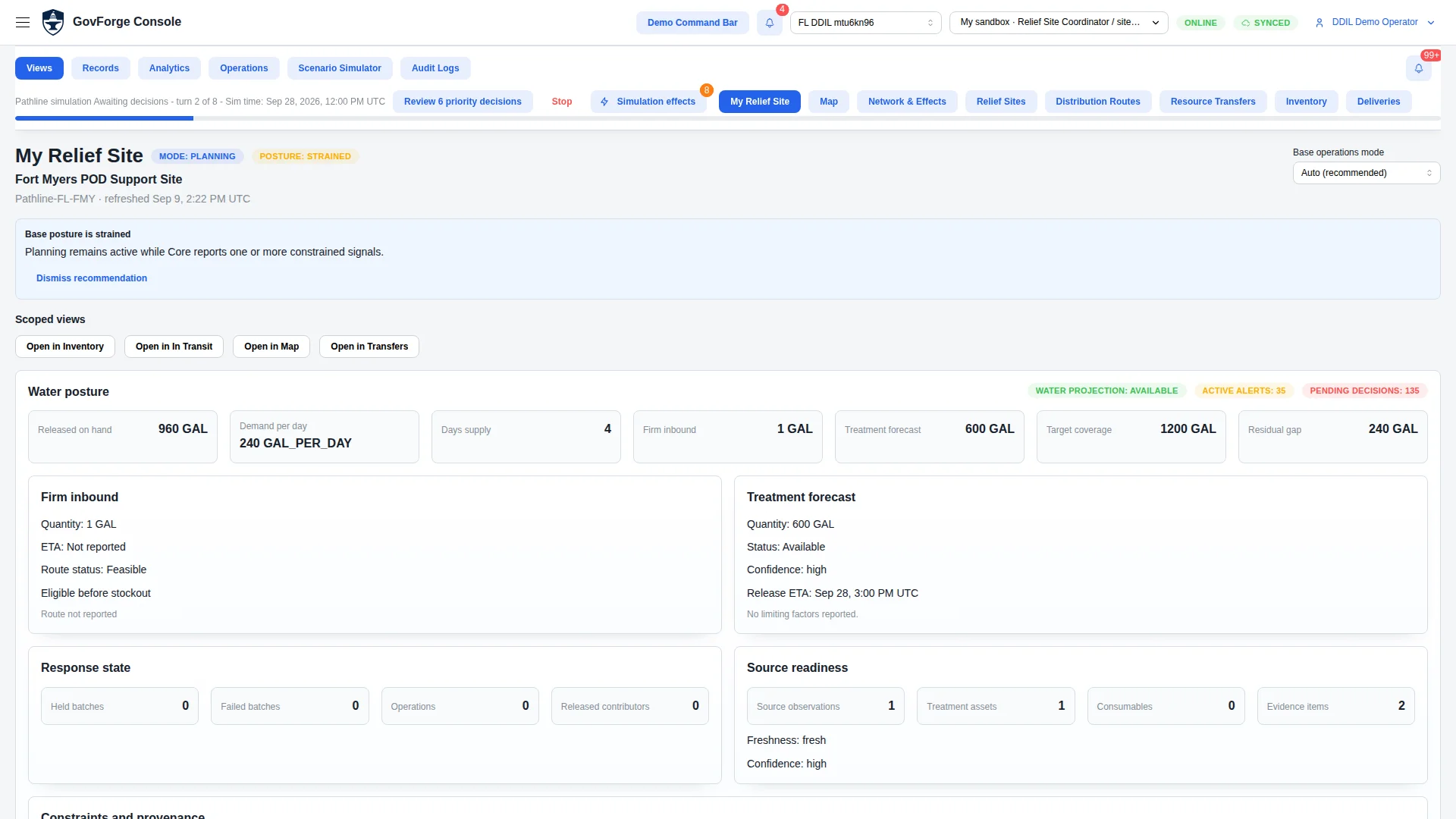
An existing workflow example, not a commercial deployment
These accepted captures use synthetic Florida hurricane-relief data. They illustrate supported planning and field workflows; they do not show an Enterprise configuration or an existing business customer. A commercial baseline and film would require separate configuration and review.
Understand the network and test disruption
Review the relief sites, supply routes, and site needs. A hurricane closes a route as a location needs more water. Explore how the disruption puts replenishment under pressure.
Compare a response and follow the result
Compare the available response with waiting over the same period, considering speed, cost efficiency, and risk. After advancing, supplies can still be in transit and a shortfall can remain. Review site inventory and incoming deliveries without counting stock on the way as already received.
Keep local records and reconcile
Follow a supported physical count and linked correction through local storage, hub custody, discrepancy review, and reconnection. The count-related case is resolved while an unmatched receipt remains visible. Discuss which workflows and setup fit your operation.
See how your sites depend on one another.
Bring facilities, supply routes, and resources into a shared operational picture. The relief example shows how locations, support needs, and supplies can be reviewed together; a business configuration starts with your own operational requirements.
- See locations and the transport links between them
- Review site needs alongside the resources available
- Move from the regional picture into an individual location
Find out where a delay could become a shortage.
A closed route, a late delivery, or higher consumption can change the outlook for several locations. In this example, a hurricane disrupts a Florida relief corridor. Explore the scenario to see where the plan needs attention.
- Adjust supported planning assumptions
- Follow the effects of disrupted routes and changing demand
- Identify locations that may need another response
Make the tradeoffs visible.
Review the available responses, understand why they are proposed, and compare their implications for speed, cost efficiency, and risk. Follow the selected relief response into the next simulation step, including any remaining shortfall.
- Inspect the reasoning and assumptions behind each option
- Compare a proposed response with taking no action over the same period
- Advance the simulation to see what changes and which shortfalls remain
Connect inventory with the next delivery.
Review available stock, reserved quantities, incoming deliveries, and consumption forecasts together. The relief-site inventory illustrates how projected supply coverage and replenishment can be reviewed without treating stock in transit as already received.
- Check what the location has available to use
- Review incoming deliveries and when they were last updated
- Keep supplies in transit distinct from stock received on site
Keep recording the work when connections drop.
Authorized teams can record supported field activities locally, exchange updates through an available hub, and review discrepancies as connectivity returns. The relief example follows a physical count and linked correction through reconciliation; an unmatched receipt remains visible.
- Record a physical count and link any correction to it
- See which updates are stored locally or shared with a hub
- Reconcile differences while preserving the record and unresolved receipts
Built around operations that span locations.
Potential applications of these workflows, not claims about existing customers.
Distribution and logistics
Explore delivery disruptions, inventory pressure, and replenishment decisions across depots and regional sites.
Utilities and field services
Plan the supplies that distributed crews and facilities depend on, including locations where connectivity can be unreliable.
Remote and project operations
Coordinate supplies and site records where limited access, long delivery routes, or changing conditions make replenishment harder.
Start with a problem your team already needs to solve.
Bring us a region, a group of facilities, or a recurring supply problem. We will work with your team to establish a useful starting point and walk through the decisions that matter to your operation.
Define the operation
Identify the locations, supplies, delivery routes, and constraints involved.
Build the starting scenario
Configure a baseline that reflects how your operation works and the disruptions you want to explore.
Work through the decisions
Review the results with your team, compare responses, and identify the workflows and connections needed for your environment.
Understand the connections your operations rely on.
Your sites depend on communications as well as supplies. TrendLine helps technical teams examine network performance and explore how disruptions could affect the networks supporting their operations.
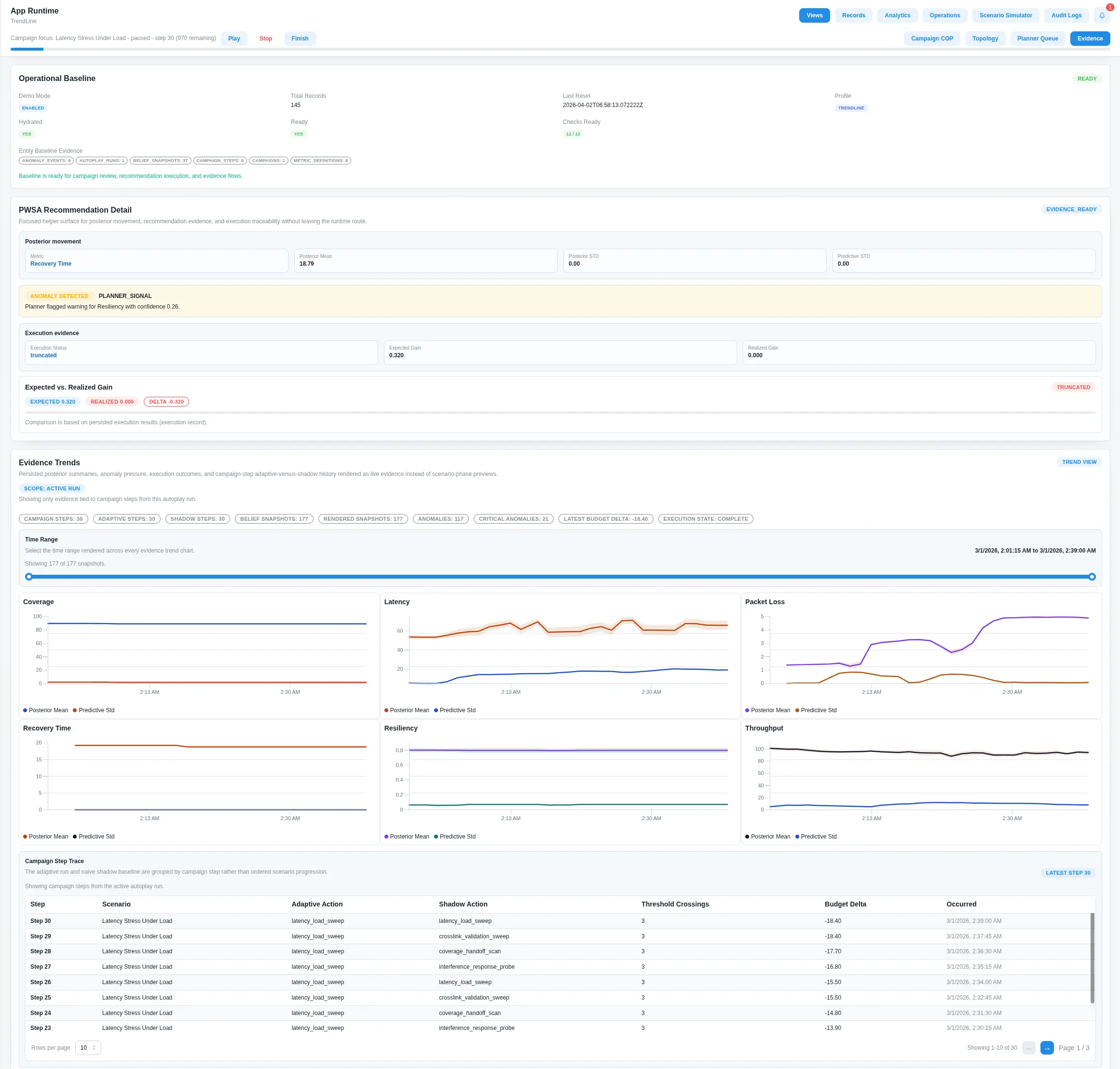
Network health
Explore latency, throughput, packet loss, and anomalies with the evidence behind them.
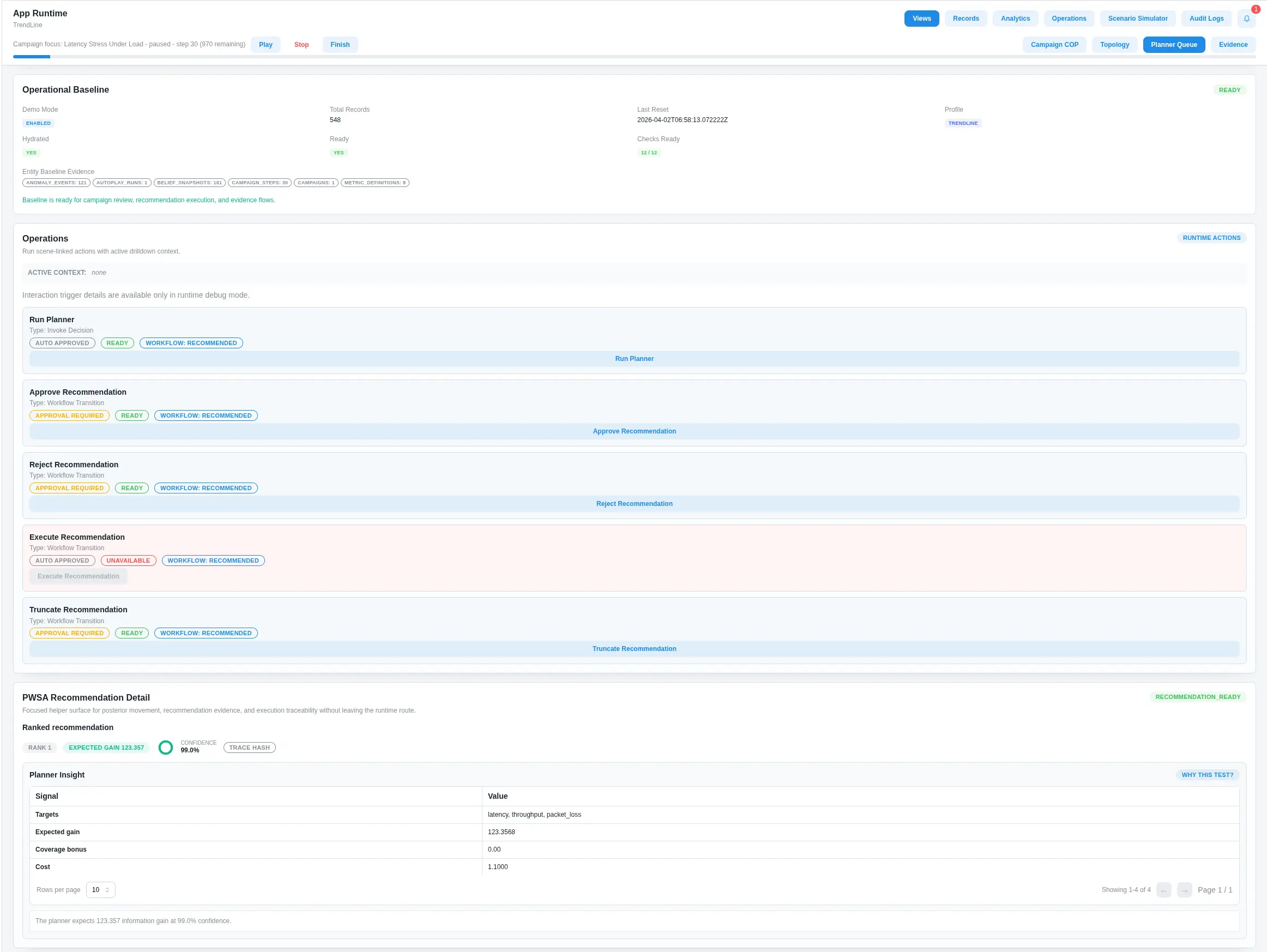
Communications resilience
Test disruption scenarios and review recommendations for resilient network planning.
Questions about deployment and fit
How Pathline, TrendLine, and custom applications can fit your environment.
We start by understanding the data sources and workflows you already use. Integration options can include APIs, databases, and file exchange. The specific connections, data requirements, and update frequency are scoped around your environment.
We work with you to define the sites, resources, routes, and planning assumptions that matter. That creates a baseline your team can use to explore disruptions, compare responses, and review site-level needs. The screenshots here illustrate existing relief workflows, not an already configured commercial deployment.
Offline support applies to specific field workflows. Authorized users can retain supported records locally, exchange updates through an available hub, and reconcile them when connectivity returns. We will confirm the workflows and setup appropriate for your deployment.
We review your user roles, access requirements, activity records, and deployment constraints as part of the setup. That discussion establishes how the application should fit your operating environment.
Yes. We can scope a tailored workflow or application around your process, using reusable components and integrations where they fit. Start with the operational problem, and we will work through the appropriate approach.
Bring us an operational problem.
A delivery that keeps slipping. A site that runs short. A plan that depends on one critical route. Let’s walk through how Pathline could support the decisions your team makes every day.
Request a tailored demo